
Getting started
Getting started with ctx|
Connect your team's repositories and working context to Chat and AI coding agents.
ctx| gives AI agents access to selected repositories, including Git-backed
context captured from other sources. During ingestion, it builds search indexes
and graph claims, then makes that context available through Chat and
ctx_advisor over MCP.
Choose your setup
Hosted ctx|
Connect GitHub, index a repository, and install MCP.
Self-host ctx|
Deploy and operate ctx| on your own infrastructure.
What ctx| gives you
- Code search across repositories your organization has selected and indexed.
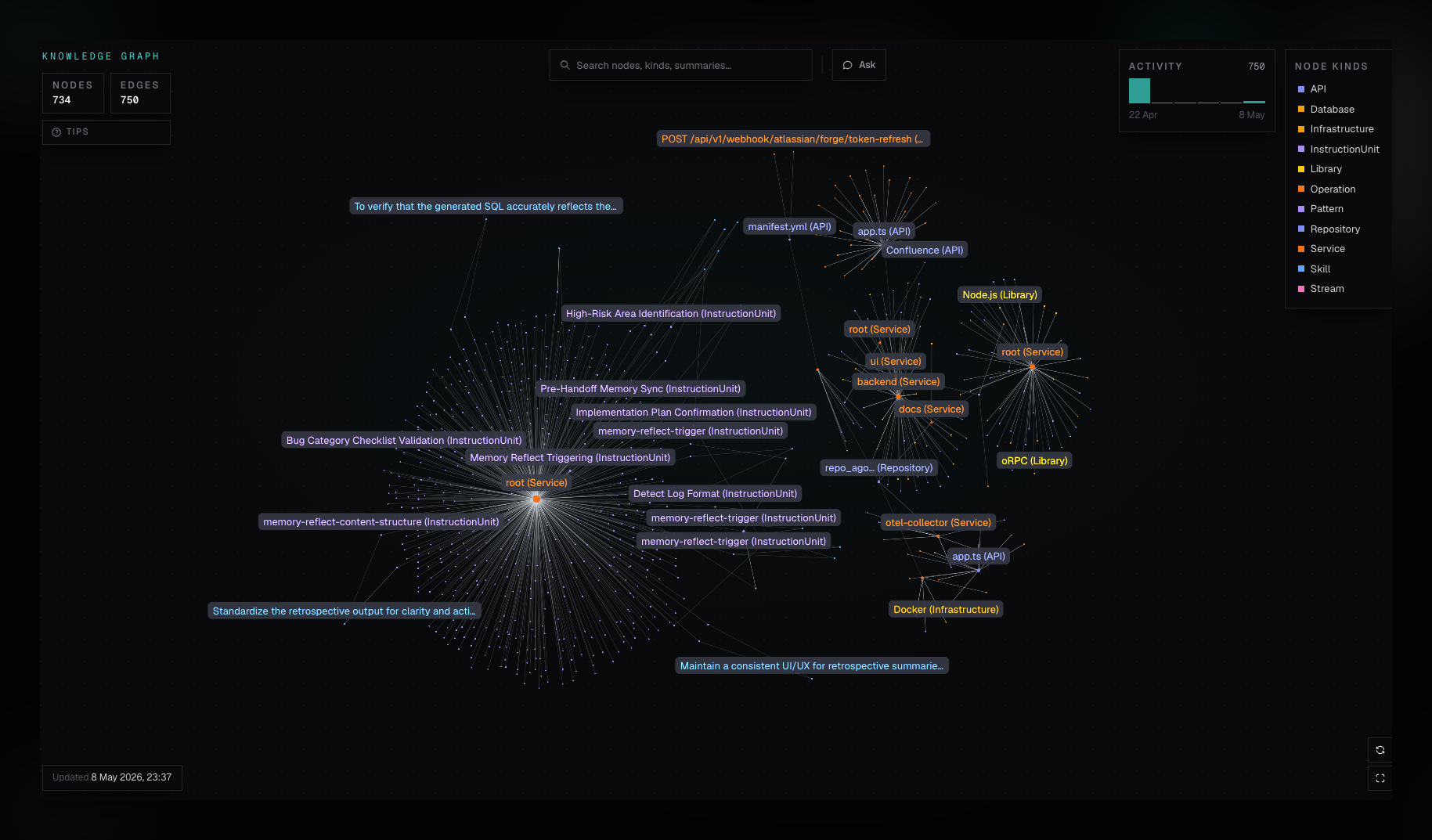
- A knowledge graph of extracted services, apps, APIs, libraries, infrastructure, patterns, and repository instructions.
- Git-backed context from selected documentation, issues, pages, and conversations.
- One remote MCP endpoint for compatible agent clients.
- A human-facing Chat over the same indexed organization context.
Connect the context your team uses
- Select and ingest GitHub repositories directly for code search and graph extraction.
- Mirror selected Linear, Notion, and Confluence content into a bound GitHub repository. Connector scope changes are reviewed through a configuration pull request; mirrored content then commits to the configured branch.
- Capture an existing Slack thread by mentioning the ctx| bot inside that thread. The snapshot commits to the bound repository.
Your team controls which repositories and connector scopes contribute to ctx|. A dedicated context repository is recommended for connector content, but it is not required.