
Interacting
Use node details, claims, deep links, and Chat handoff to investigate graph context.
Click a node to open its detail drawer. The drawer turns the graph from a map into an investigation surface.
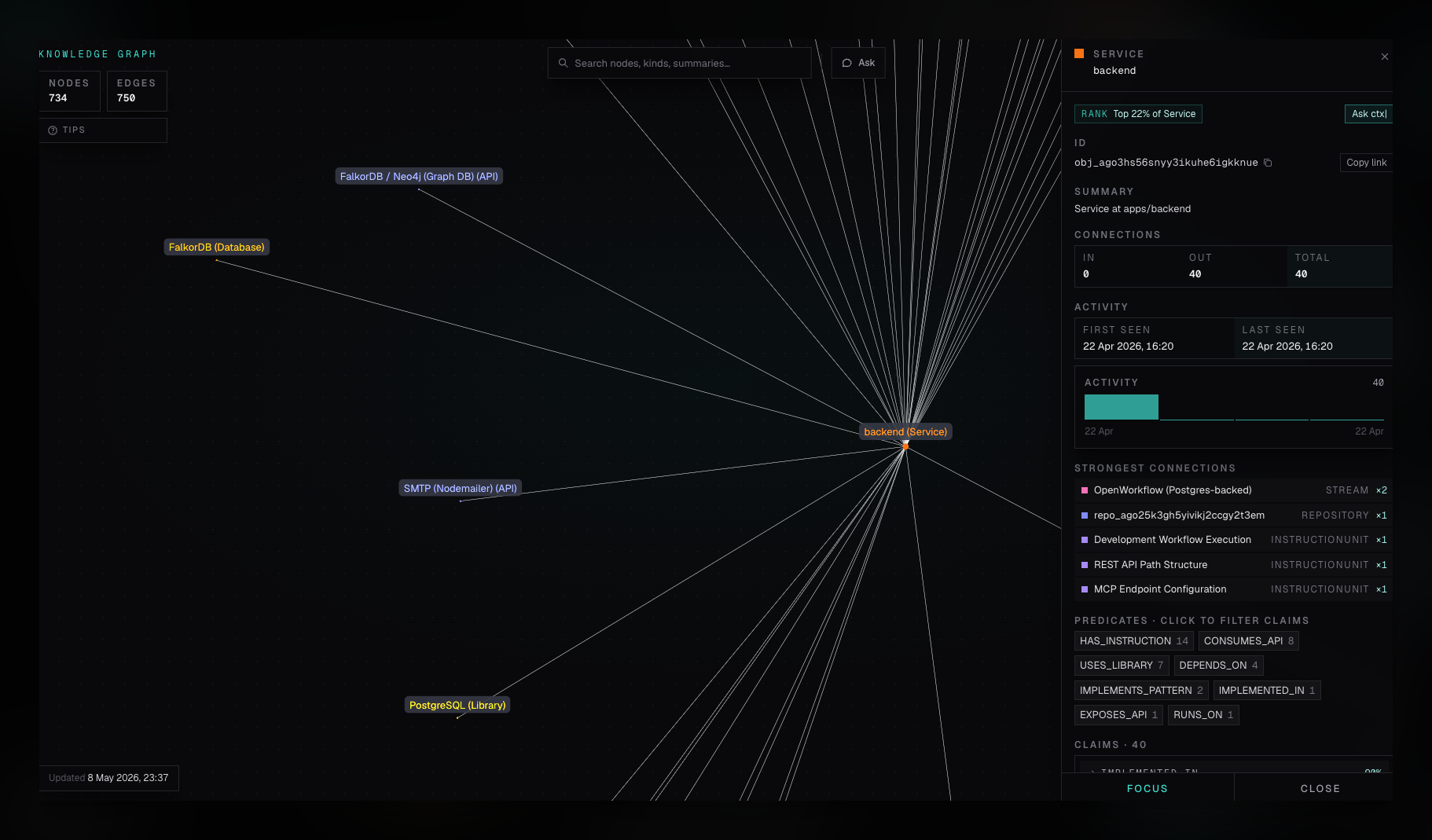
Node Detail Drawer
The drawer can show:
- Node kind, name, summary, and ID.
- Inbound, outbound, and total connection counts.
- First seen and last seen timestamps derived from observed claims.
- Strongest connected nodes.
- Predicate counts.
- Claim list with direction, neighbor, confidence, and observation date.
- Neighbor kind distribution.
Use Copy id when you need a stable node identifier for a bug report, developer task, or API query. Use Copy link to share a graph URL with the node already selected.
Reading claim metadata
Claim metadata helps you decide what to investigate:
- First seen and Last seen describe when ctx| observed supporting evidence. They do not prove the relationship still exists in the current source.
- Confidence helps retrieval and ranking. It is not a correctness score or approval signal.
- Claim direction and neighboring nodes show how the selected concept is connected to the rest of the returned graph.
Use these signals to find relevant source, then verify important relationships before making a risky change.
Focus and Neighbor Navigation
Use Focus to recenter the selected node. Click strongest connections or claims to pivot the drawer to a neighboring node.
This is the fastest way to answer questions like:
- What depends on this service?
- Which APIs is this library connected to?
- Which instruction units or patterns mention this subsystem?
Ask ctx|
Use Ask ctx| to open a new Chat thread seeded with the selected node's context. The generated prompt includes:
- Node kind, label, and ID.
- Inbound and outbound connection counts.
- Strongest links.
- Common predicates.
- Summary, when present.
Chat then answers in natural language and can combine graph context with source and documentation retrieval.
Developer Investigation Pattern
- Search for the system or concept.
- Select the most relevant node.
- Inspect strongest connections and predicates.
- Pivot through neighboring nodes until the boundary is clear.
- Use Ask ctx| to turn the selected context into an explanation or task brief.