
Hosted quickstart
Connect a repository, check its context, and configure an MCP client.
Use this guide to connect one repository to hosted ctx| and make its context available to an AI coding agent.
Before you start
You need:
- access to a ctx| organization,
- permission to install or request the ctx| GitHub App,
- a GitHub repository you want ctx| to index,
- and Cursor, Claude Code, Codex, OpenCode, or VS Code/Copilot with MCP support.
Self-hosting?
This page covers the hosted product. Start with the self-hosting quickstart if your team operates its own deployment.
1. Connect one repository
Install the GitHub App
Open Connectors, choose Add connection, then select GitHub. Install or authorize the ctx| GitHub App for the GitHub account or organization that owns your repository.
Select a repository
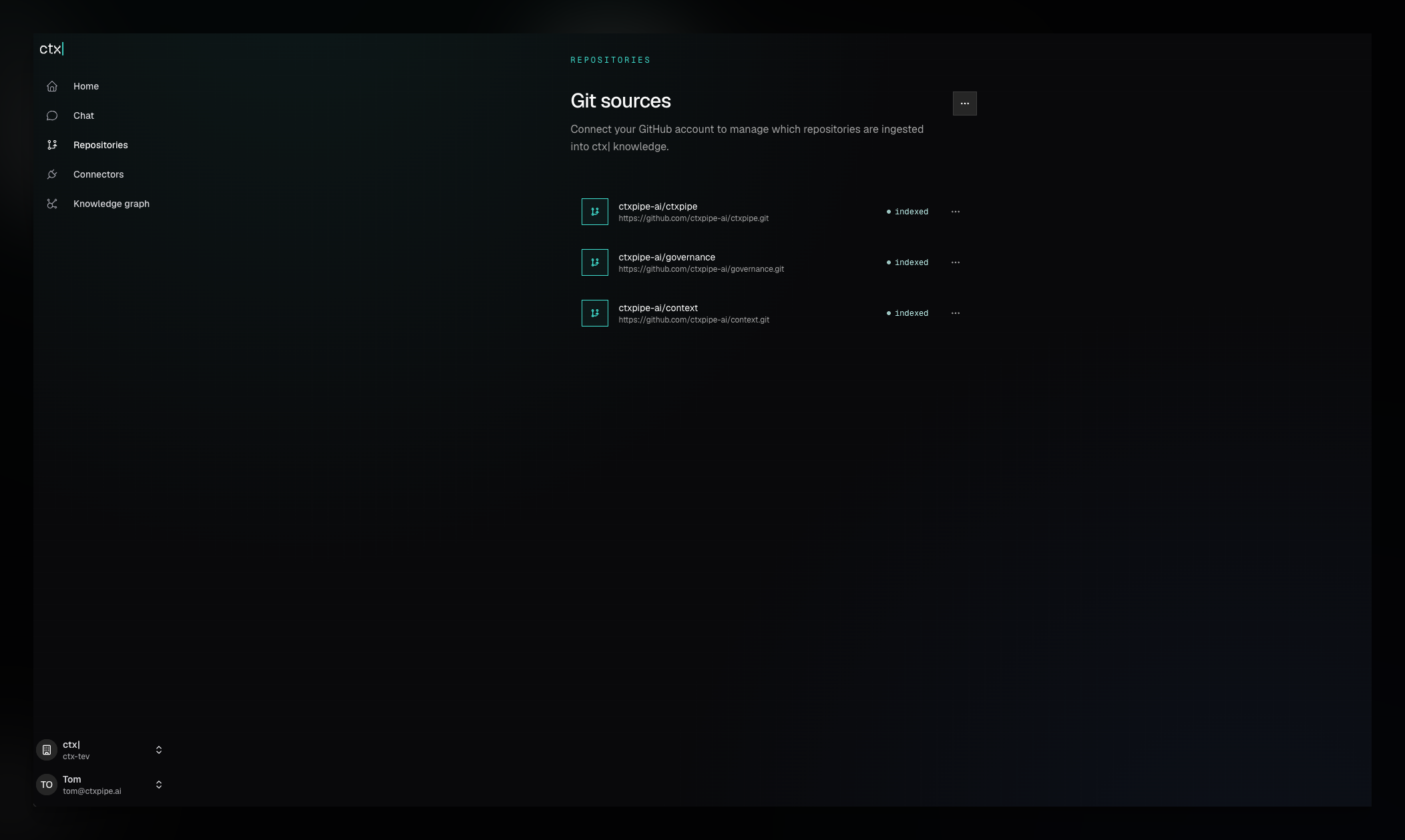
Open Repositories and choose Select repositories from the empty state or repository actions menu. Select a repository and save the change.
If a repository is marked pending indexing, choose Index now.
Wait for indexing
After indexing starts, the repository moves from queued to indexing and then indexed. A repository may instead finish as complete with issues when some indexing output is unavailable.
Chat becomes available after the first repository finishes indexing.
2. Test the context in Chat
Open Chat and ask a question about the indexed repository. Ask for supporting file paths so you can inspect the source behind the answer:
What are the main services in this repository, and which files support that answer?Before changing authentication, what architecture decisions and standards should an engineer read?A useful answer should identify relevant files and distinguish source-backed facts from recommendations. Check those files before acting on a consequential answer.
3. Install ctx| MCP
Run the interactive installer from a repository:
npx ctxpipe initThe installer signs you in, asks which ctx| organization and clients to configure, and writes configuration for the repository, your user profile, or both. It can also initialize local Markdown memory. Your MCP client will ask you to authorize ctx| the first time it connects.
Then give the agent a concrete discovery task:
Use ctx_advisor before planning this change. Find the relevant standards,
decisions, and source areas, and label anything that still needs code verification.
See Remote MCP for team pull requests, non-interactive CLI flags, and manual client configuration.
4. Connect additional sources
Connect other sources when their content should be available through the same search and MCP context:
- Linear, Notion, and Confluence propose selected scope through a configuration pull request, then mirror content into the bound GitHub repository.
- Slack captures an existing thread when someone mentions the ctx| bot inside that thread. It does not mirror channels or search the workspace.
A dedicated context repository is recommended when those sources should share a Git-backed audit trail, but it is not required.
Setup is complete when
- the repository is indexed,
- Chat can answer a repository question and cite useful source paths,
- your MCP client can call
ctx_advisor, - and the agent can identify the repository context relevant to a task.