
Chat
Use ctx| Chat to ask technical questions against your organization's indexed code and knowledge graph.
Chat is the human-facing way to interrogate the ctx| context layer. It uses the
same organization-scoped conversation graph that powers ctx_advisor over MCP,
but presents it as a browser workspace under /:orgSlug/chat.
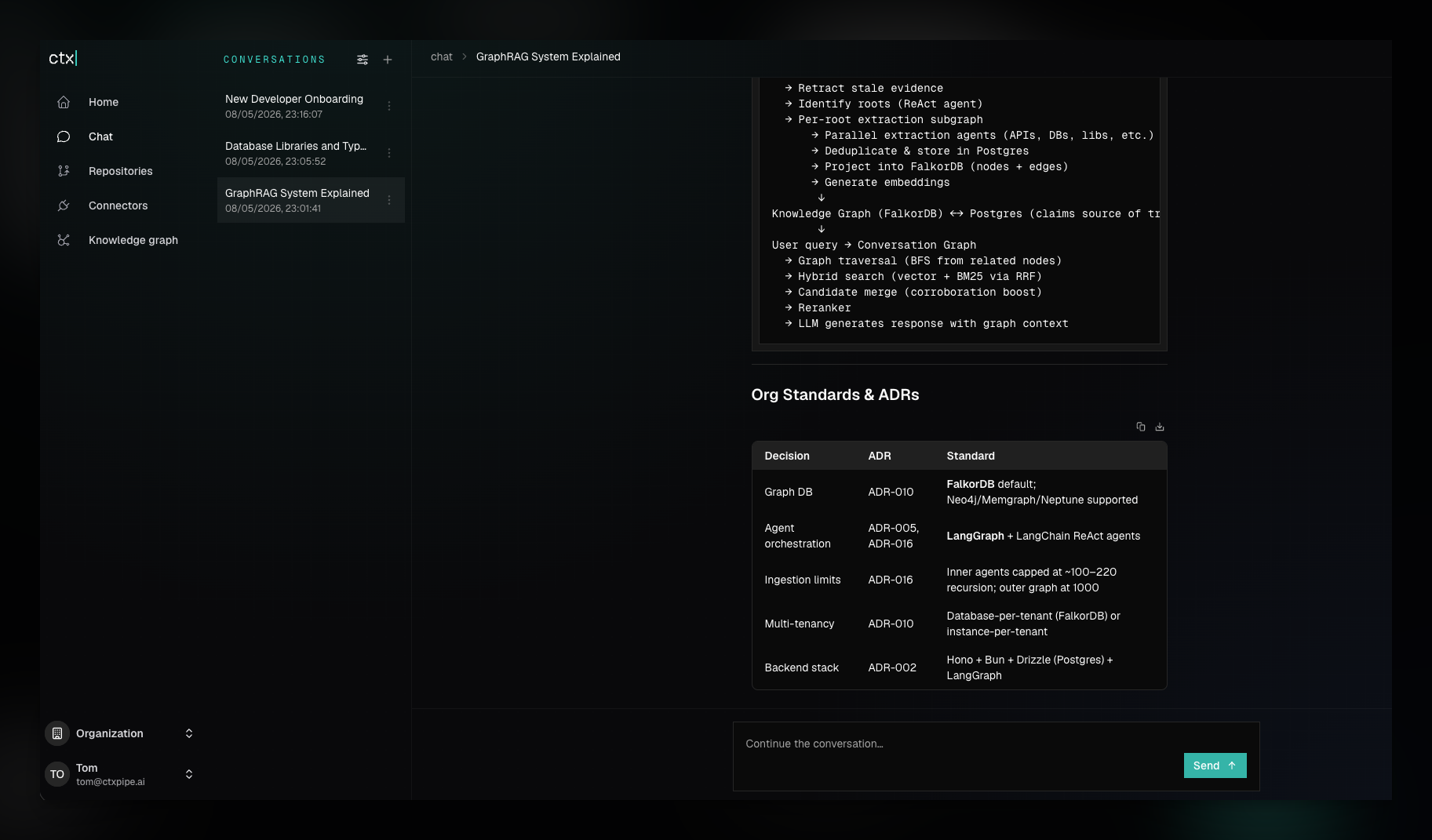
What Chat Does
Chat answers technical questions with context from:
- The repositories indexed for the current organization.
- Extracted knowledge graph claims about services, APIs, libraries, patterns, instructions, and their relationships.
- Repository-native documentation such as
README,AGENTS.md, ADRs, skills, and standards files. - Previous messages in the selected conversation thread.
The Chat UI stores conversations under the current organization. The first
message creates a new conversation, promotes the URL to
/:orgSlug/chat/:conversationId, and keeps later messages on that thread.
Good Use Cases
Onboard New Developers
Use Chat as a guided tour through unfamiliar systems. Good first prompts include:
I am new to this codebase. What are the main services, and where should I start reading?Explain the authentication flow in this organization. Include the important ADRs or standards I should know.Chat is useful here because it can combine repo search, graph relationships, and organization instructions instead of returning only isolated code snippets.
Interrogate Key Systems
Use Chat to ask how a subsystem is built, where its boundaries are, and what risks to inspect before changing it.
How does our checkout service authenticate requests, and which files support that answer?Which services depend on the billing events stream, and where is that relationship implemented?When exact implementation details matter, ask Chat to name the files it used and to distinguish recommendations from verified code facts.
Query the Knowledge Graph
Chat can answer graph-shaped questions that are awkward to find with text search alone.
Which systems depend on the repository ingestion pipeline?What patterns or instruction units are connected to MCP setup?For direct visual exploration, use the Knowledge graph section first, then hand a selected node into Chat with Ask ctx|.
Prepare Agent Work
Before opening an implementation task in an AI coding agent, use Chat to collect the relevant org standards and likely files.
I am going to change the GitHub repository setup flow. What conventions and files should my agent inspect first?The same mental model applies to MCP: agent clients call ctx_advisor, while
humans use Chat.
Know the limits
Chat combines retrieved source, graph claims, and your conversation. It can still miss a file, rely on stale ingestion, or infer a relationship too strongly. For consequential answers:
- ask for supporting file paths,
- ask what is verified versus inferred,
- check repository indexing status,
- and inspect the current code before making a risky change.
Connector-generated Markdown can also contribute to Chat when its context repository is indexed. Repository access therefore remains part of the effective audience for captured Slack threads and mirrored Linear, Notion, or Confluence content.
Conversation Sources
The conversation list can show UI-originated and MCP-originated conversations.
Use the source filter to switch between browser Chat threads and ctx_advisor
threads created by MCP clients.
How to Ask Better Questions
- Include the system, feature, or repository name when you know it.
- Ask for uncertainty explicitly: "What is inferred vs verified from code?"
- Ask for paths before asking for changes.
- Ask graph questions in relationship language: "depends on", "calls", "owns", "uses", "implements", "documents", "replaces".