
Monitoring
Monitor graph freshness, size, truncation, indexing state, and common failure modes.
Knowledge graph quality depends on repository ingestion health. Monitor both the graph UI and the ingestion services when troubleshooting missing context.
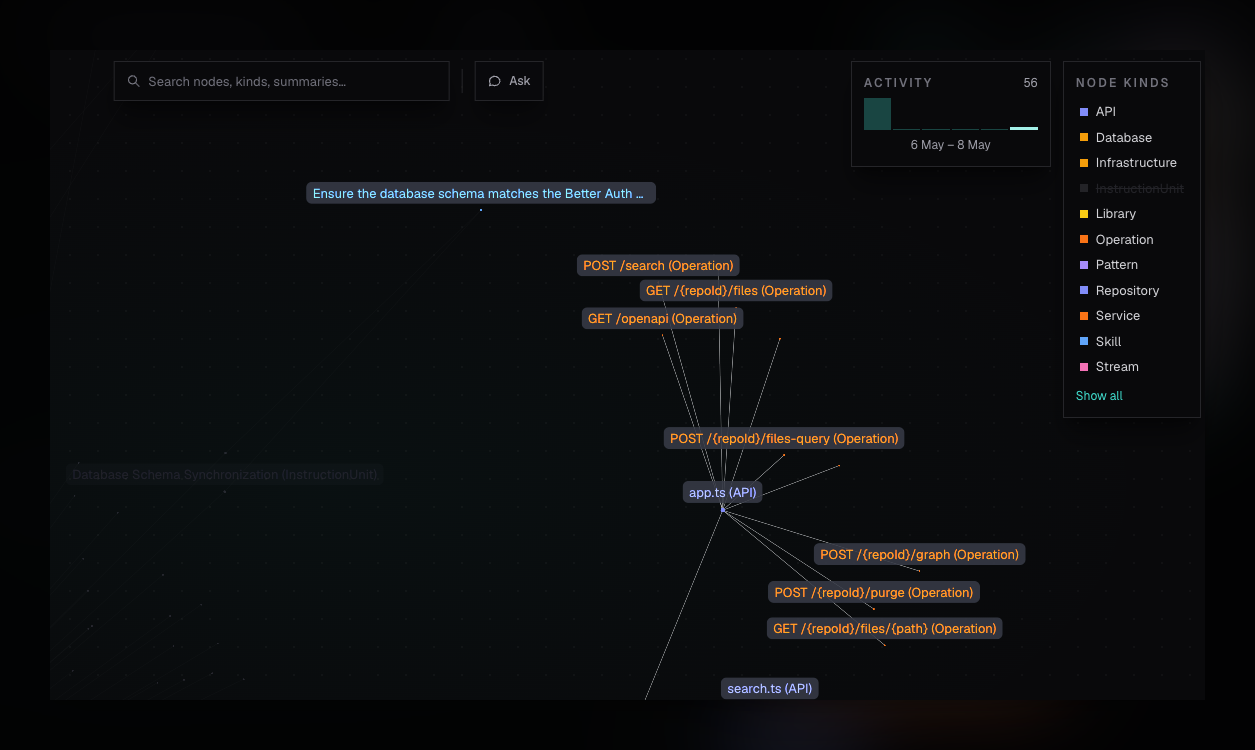
In-App Signals
The Knowledge graph page shows:
- Nodes and Edges returned in the current snapshot.
- Updated timestamp inferred from the latest observed edge when available.
- Subset shown when the response is truncated.
- Activity sparkline based on edge observation timestamps.
- Empty state reason: no repositories, indexing, or no claims.
The Repositories page shows whether each repository is pending, indexing, or indexed. If a repository is not indexed yet, graph context for that repository may be missing or incomplete.
API Signals
The graph snapshot response includes:
| Field | Meaning |
|---|---|
metrics.totalNodes | Org-wide node count. |
metrics.totalEdges | Org-wide edge count. |
metrics.nodesReturned | Nodes included in this response. |
metrics.edgesReturned | Edges included in this response. |
metrics.truncated | Whether limits prevented the full graph from returning. |
edges[].lastObservedAt | Observation timestamp used for freshness/activity views. |
edges[].confidence | Aggregated confidence for the relationship, when available. |
Use nodeLimit and edgeLimit for developer debugging when the default
snapshot is not enough.
Common Failure Modes
No Repositories
Add a repository before expecting graph data. The graph is built from ingested sources.
Still Indexing
Wait for indexReady on the Repositories page, then refresh the graph. Codesearch
readiness and graph extraction are separate stages, so a repository can be
visible before all claims are available.
No Claims
If repositories are indexed but the graph is empty, inspect backend ingestion
logs and graph database connectivity. The graph endpoint returns 503 when the
graph database is unavailable.
Truncated Snapshot
If the UI reports Subset shown, totals are org-wide but the canvas is only displaying the returned subset. Raise limits through the API when debugging, or use search and filters in the UI to narrow the investigation.
Operator Checks
- Confirm
GRAPH_DB_URIandGRAPH_DB_PROVIDERfor the deployment. - Confirm repository ingestion completed without clone or indexing errors.
- Confirm backend logs around
knowledgeGraph.snapshotfor graph read failures. - Confirm codesearch is healthy before assuming graph extraction failed.